FIELD NOTE · WINDOWLIGHT EDITORIAL
Retro flat-color portrait prompts
Build an illustrated portrait with flat color blocks, a restrained palette and clear window shadows.
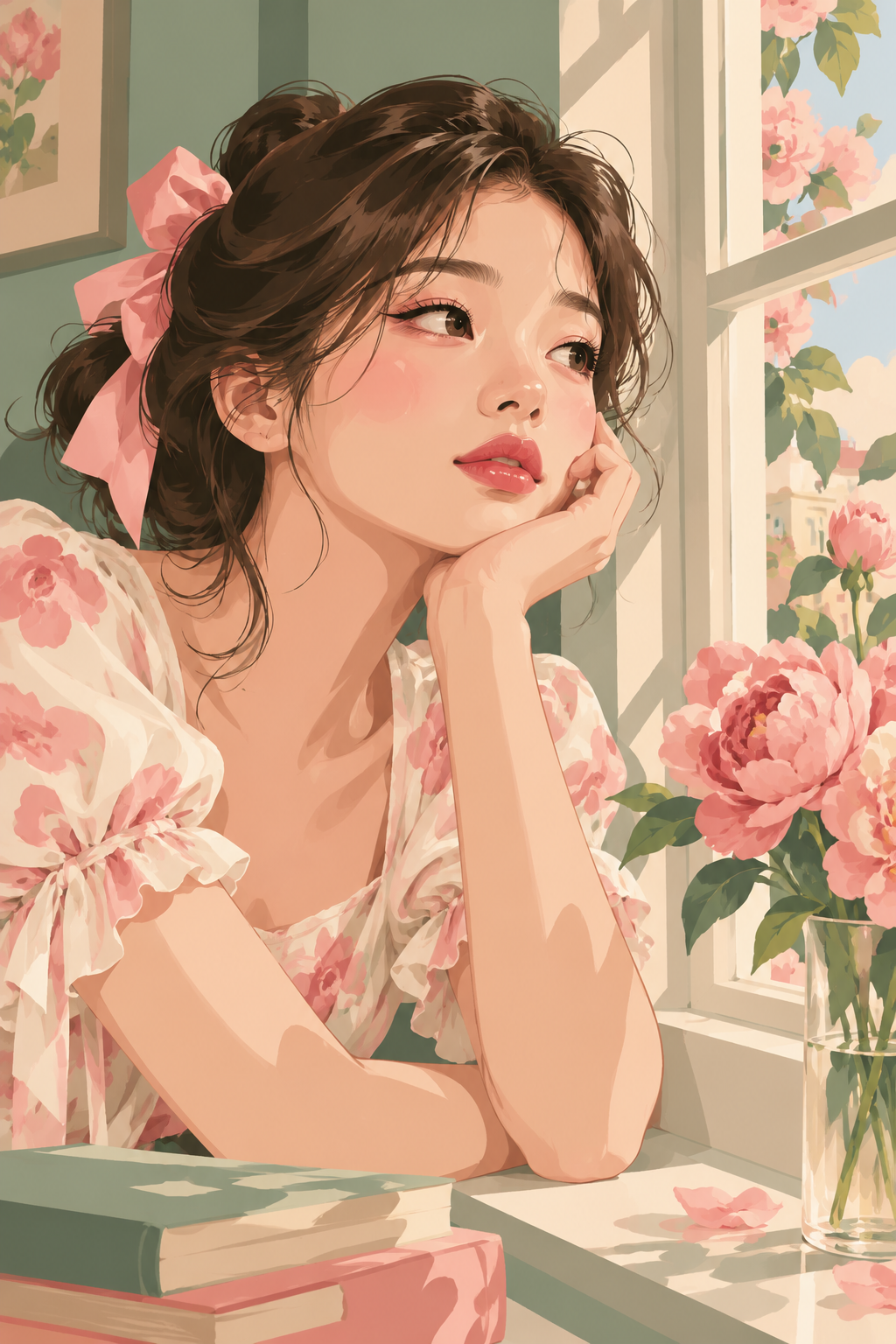
Light
Broad areas of warm sunlight shape the face and arms. The window frame casts clear shadows across the books and sill.
Color and contrast
Pink blossoms, gray-green walls and a cream-white window frame harmonize with warm peach skin tones.
Where to use this look
Vintage commercial illustration, flat-color shading and pink-green palette studies.
Build the look
- Describe the result as an illustration before specifying the character and room.
- Choose three dominant colors, such as dusty green, soft pink and cream, and keep small objects subordinate.
- Use broad light and shadow shapes instead of photographic pores or glossy skin.
An editable starting prompt
Replace the subject and setting with your own. Use images you have permission to use.
A young Asian woman sits thoughtfully by a window. A dark-brown-haired young woman with a pink hair ribbon and pale floral blouse rests her chin beside a cream-white window. A vase, green wall and books are rendered in flat color blocks, with flowering branches outside in bright sunlight.
Visual style: Vintage illustration, flat-color portrait, half-length framing, pink and green palette, warm cream tones.
Lighting: Broad areas of warm sunlight shape the face and arms. The window frame casts clear shadows across the books and sill.
Color relationships: Pink blossoms, gray-green walls and a cream-white window frame harmonize with warm peach skin tones.
A single image, with no text or watermark.
If the result misses the mark
If the output becomes photorealistic, reinforce flat painted shapes and reduce lens language. If it becomes visually cluttered, remove small room details before changing the palette.
Try it in your workflow
Open the studio to explore the style library and the generation options currently available. Review the displayed price before submitting a generation.
Explore WINDOWLIGHT ↗